In my previous blog post, I covered setting up network labs on a budget using used mini PCs, and I saw good interest in that post. So, I thought I would write another one sharing my experience using the Minisforum MS-A2 for network labs. As of writing this post, the MS-A2 costs £1160 with an AMD Ryzen 9 9955HX, 32GB of DDR5 RAM, and 1TB of storage. You can buy the barebone version (without RAM and storage) for £727 on Amazon. I bought the 32GB version + 1TB of RAM.
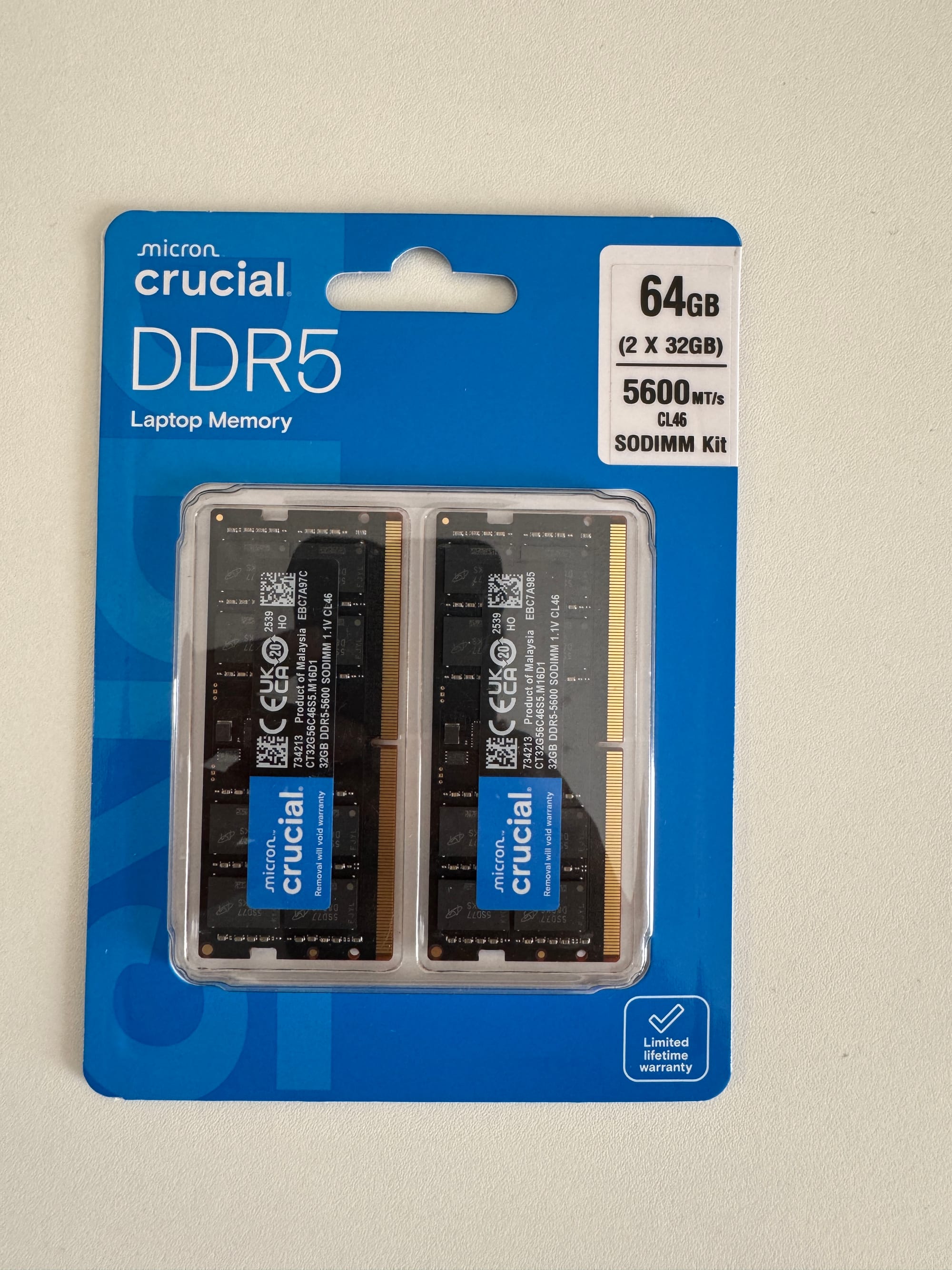
I would have bought the 64GB RAM version (I'd recommend 64GB for anyone buying) if that was available on Amazon, but that option was only available on the Minisforum website, and it ships from their HK warehouse and takes a few days. So I went with Amazon, which came with a single 32GB stick, and then added another 32GB stick myself (RAM costs a fortune as of writing this post 😢)
- CPU options - AMD Ryzen 9 9955HX / 9 7945HX / 7 7745HX. I went with the 9955HX (16c/32t) for extra headroom running multiple labs at once.
- RAM - Dual channel DDR5-5600MHz, up to 96GB. Plenty for running lots of network devices (more on this later)
- Storage - Three M.2 PCIe 4.0 slots, up to 15TB total. Also supports U.2 NVMe and M.2 22110 drives.
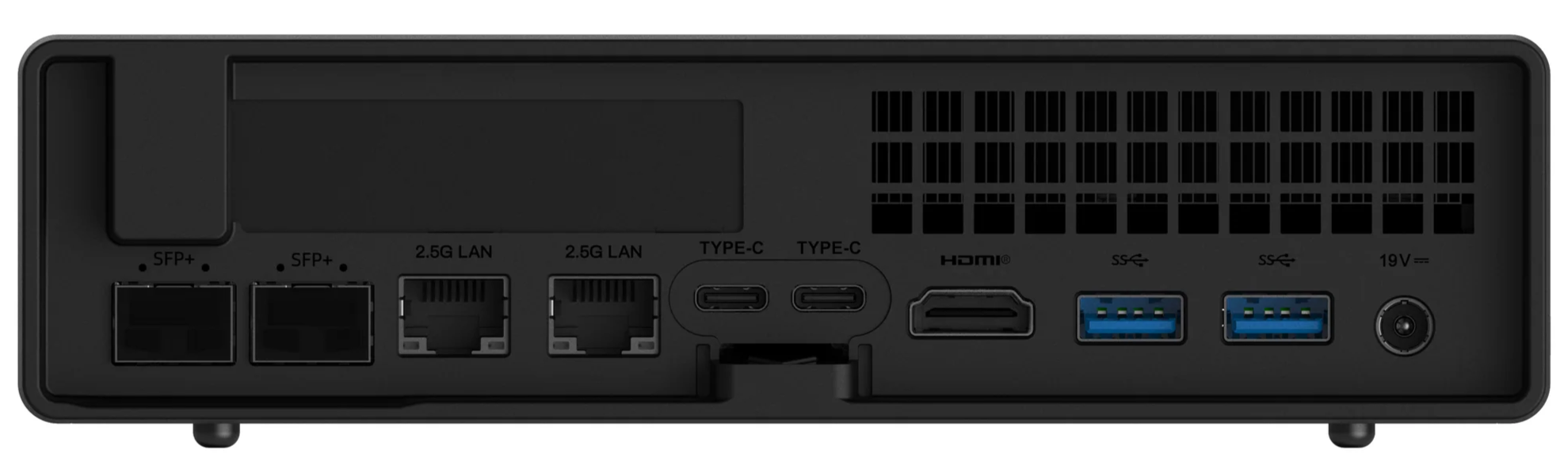
- Networking - Dual 10Gbps SFP+ LAN, 2.5G RJ45, WiFi 6E, and Bluetooth 5.3.
- Expansion - Built-in PCle x16 Slot
I want to quickly address the elephant in the room before we proceed further. Yes, a dedicated server would outperform any mini PC, hands down. But servers take up a lot of space, they're loud (like verrrry loud), and they pull a lot more power. For a home lab, especially one that's running 24/7 in a spare room or a corner of your house, that's not always practical. A mini PC gives up some raw performance, but you get something that's quiet, small enough to tuck away anywhere, and cheap to run.
Why I Bought the Minisforum MS-A2 for Network Labs?
So why did I buy another PC? I really didn't want to, especially with RAM prices the way they are right now, and to be honest, what I already have is good enough for most of my labs. But I was learning VXLAN/EVPN with Junos, and I wanted to use vJunos-switch. The problem is, it needs 4 CPU cores and 5GB of RAM per node, and it has to run on bare metal. My current PC runs Proxmox, so everything I deploy is a VM, and Juniper's own documentation clearly states that vJunos-switch won't work with nested virtualization. That's the main reason I ended up buying this.
Even though I gave it a try on a VM running on top of Proxmox using Netlab, it eventually worked, but it took more than 15 minutes to launch 2 nodes and was very heavy on resources. After some back and forth and discussion, I decided I needed bare metal to do anything useful with it.
Minisforum MS-A2 Initial Impressions
I know it's a mini PC and I'd watched a lot of reviews beforehand, so I knew it was small, but I was still surprised in person by just how small it is, especially packing a 16 core CPU and plenty of ports. Initial setup was very easy. I installed Ubuntu 22.04 right away and then Netlab/Containerlab on top of it. I solely use Netlab for my network labs and covered it extensively in my previous post, so feel free to check that out.
❯ lscpu
Architecture:                x86_64
  CPU op-mode(s):            32-bit, 64-bit
  Address sizes:             48 bits physical, 48 bits virtual
  Byte Order:                Little Endian
CPU(s):                      32
  On-line CPU(s) list:       0-31
Vendor ID:                   AuthenticAMD
  Model name:                AMD Ryzen 9 9955HX 16-Core Processor
    CPU family:              26
    Model:                   68
    Thread(s) per core:      2
    Core(s) per socket:      16
    Socket(s):               1
!!
Virtualization features:
  Virtualization:            AMD-V
This is also my first AMD CPU PC. I've always used Intel, but from my research, AMD seemed to offer better value for money, generally more cores and threads for the price compared to Intel. So far, I've had no issues running Arista, Cisco, Juniper, or Palo Alto images, so I'm happy with the performance.
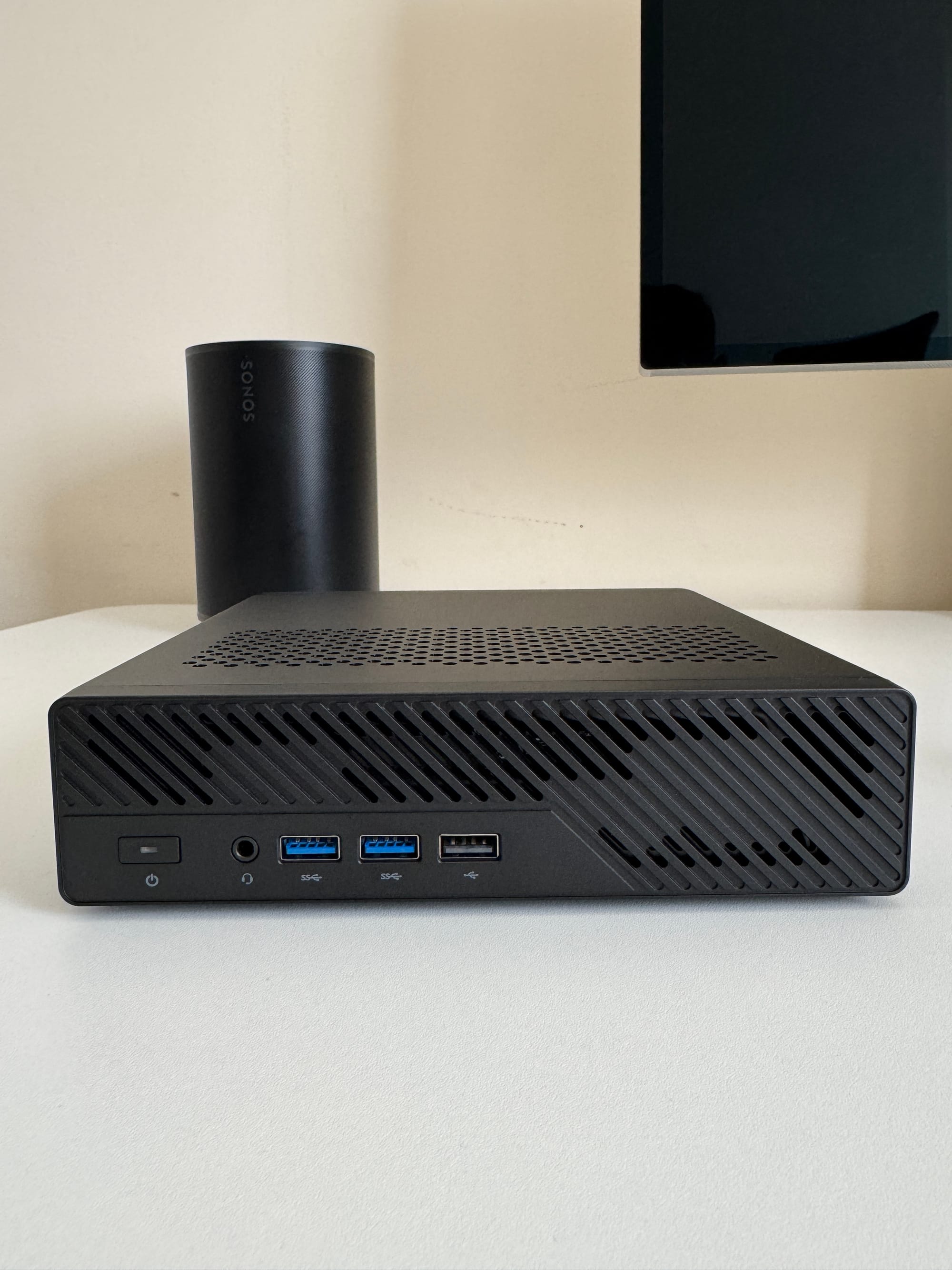
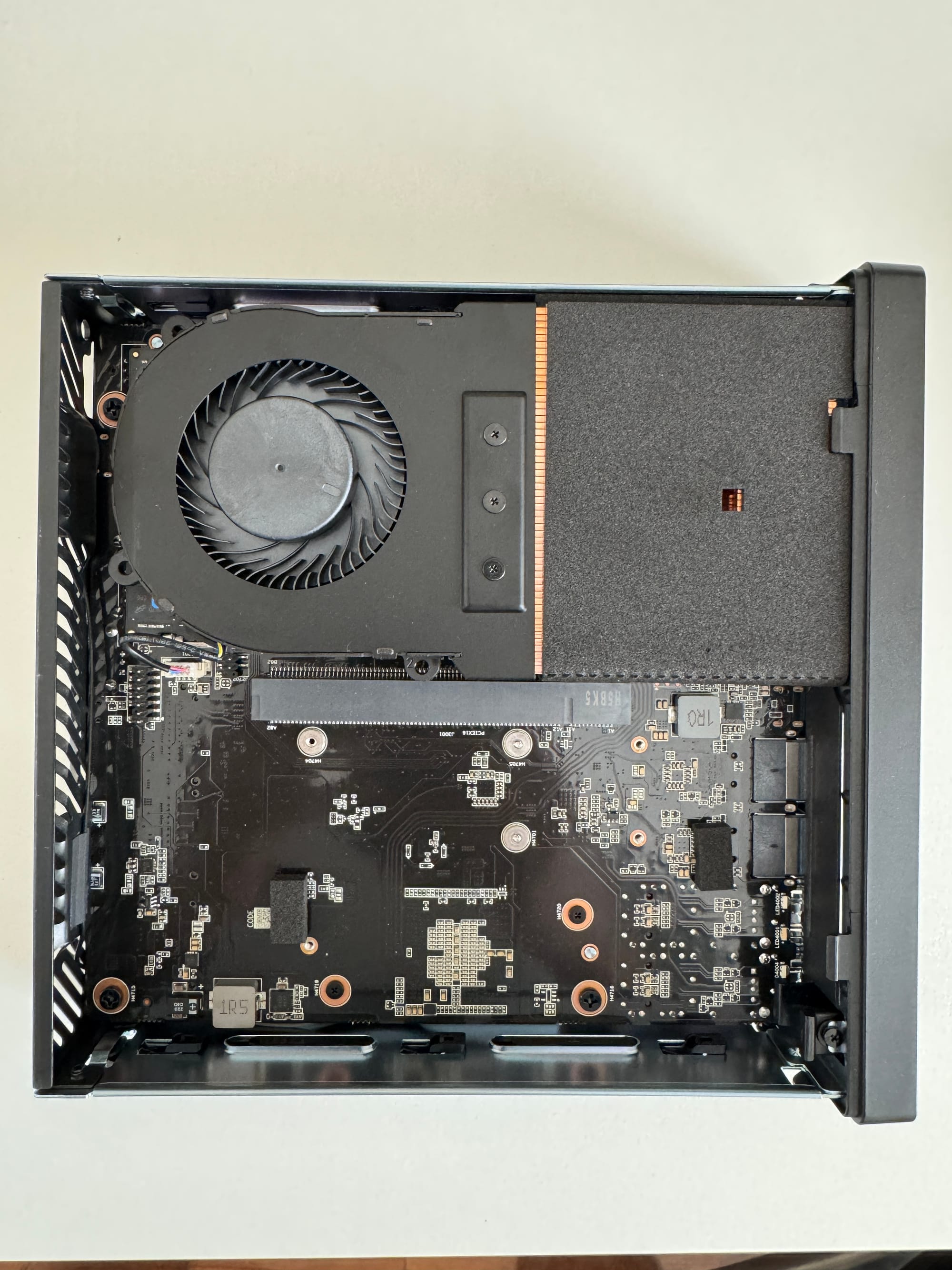
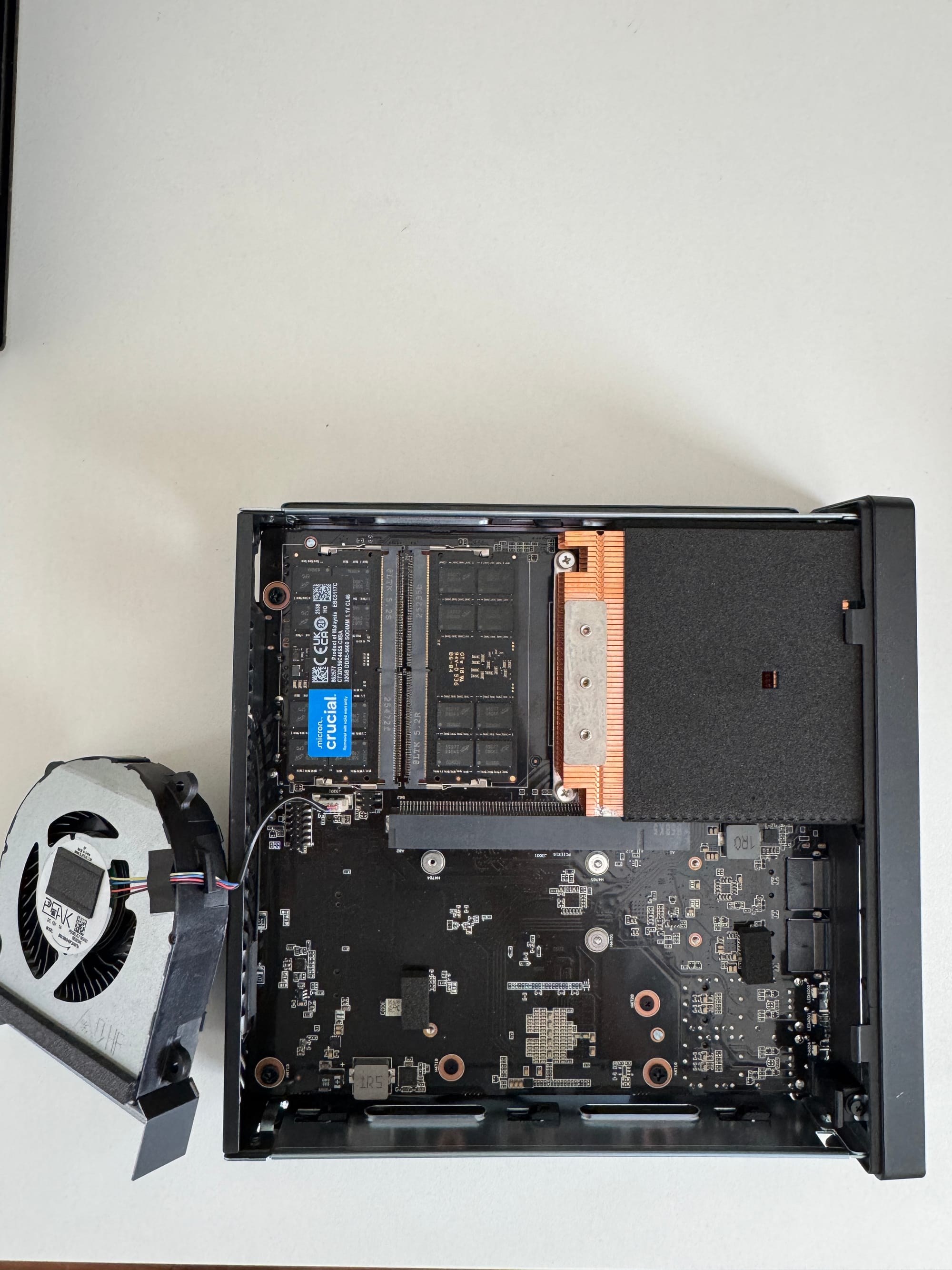
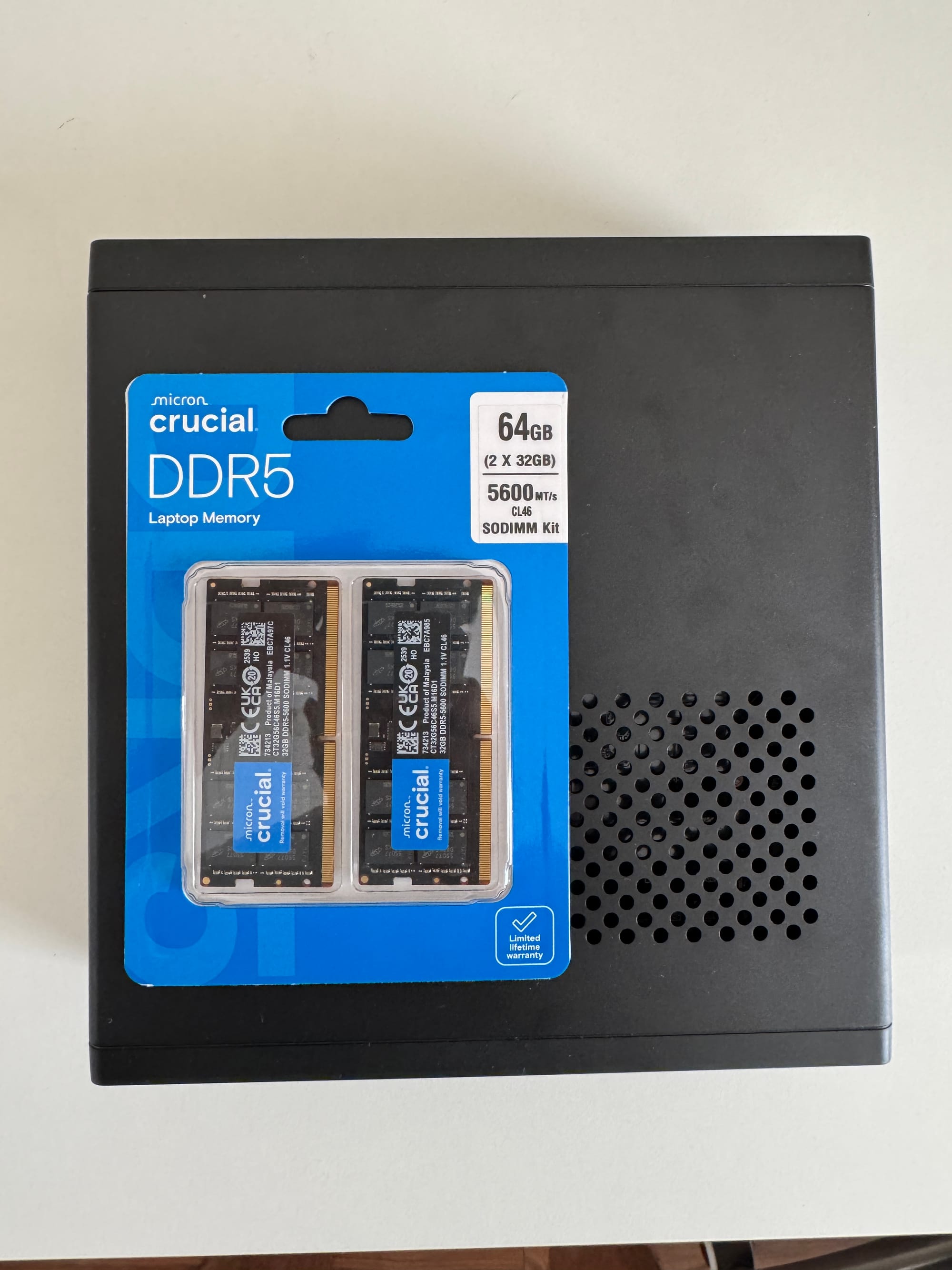
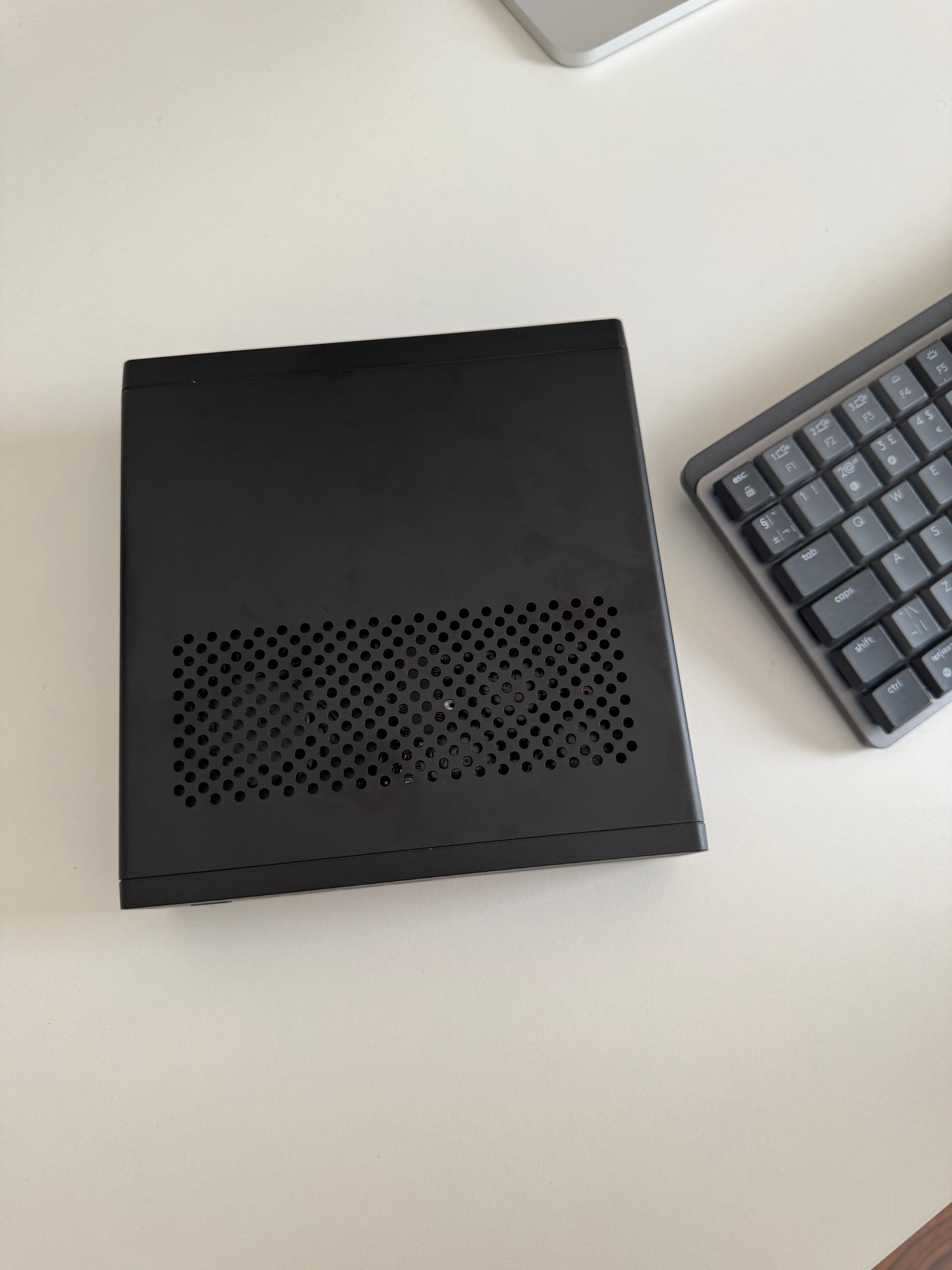
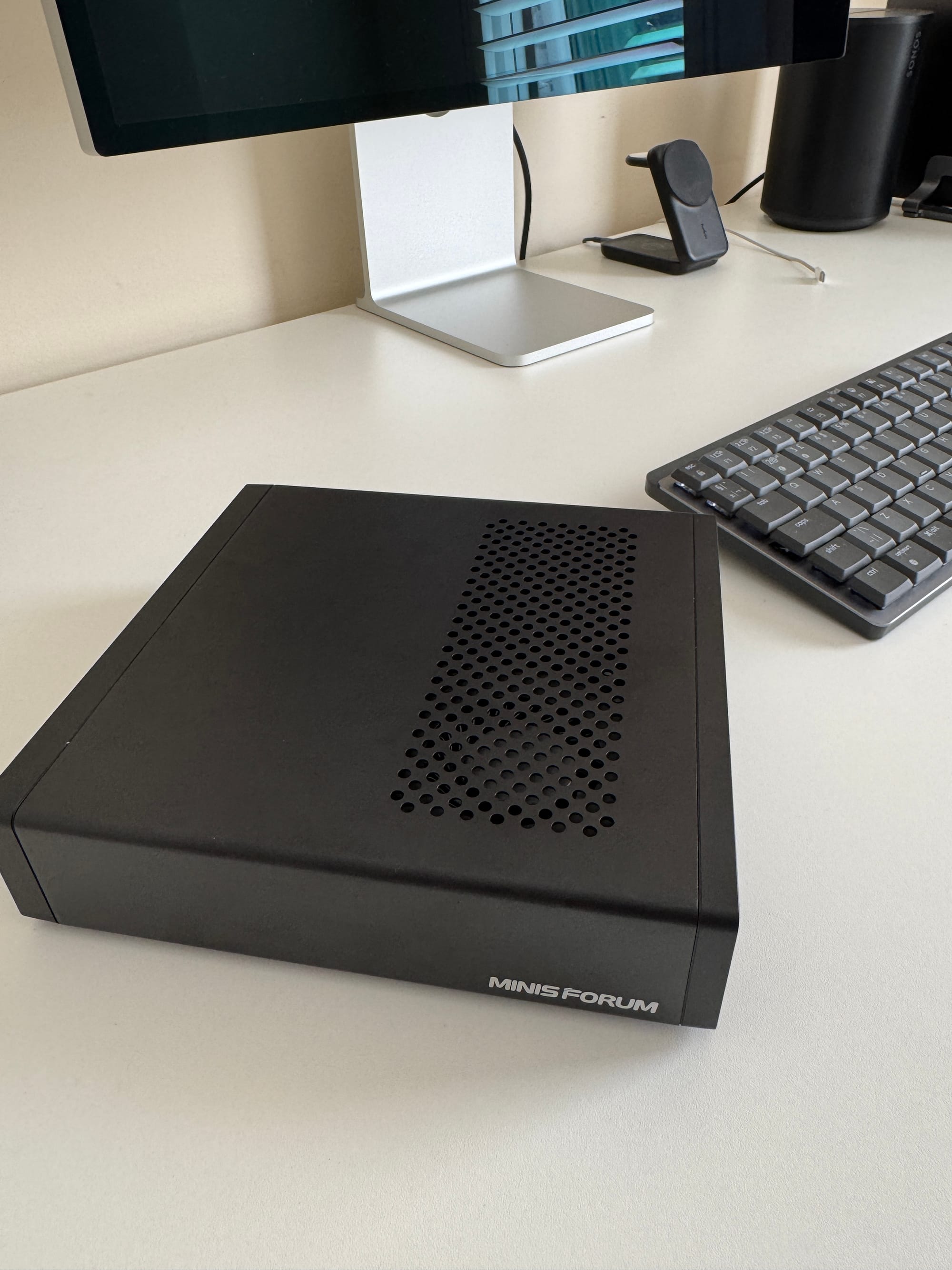
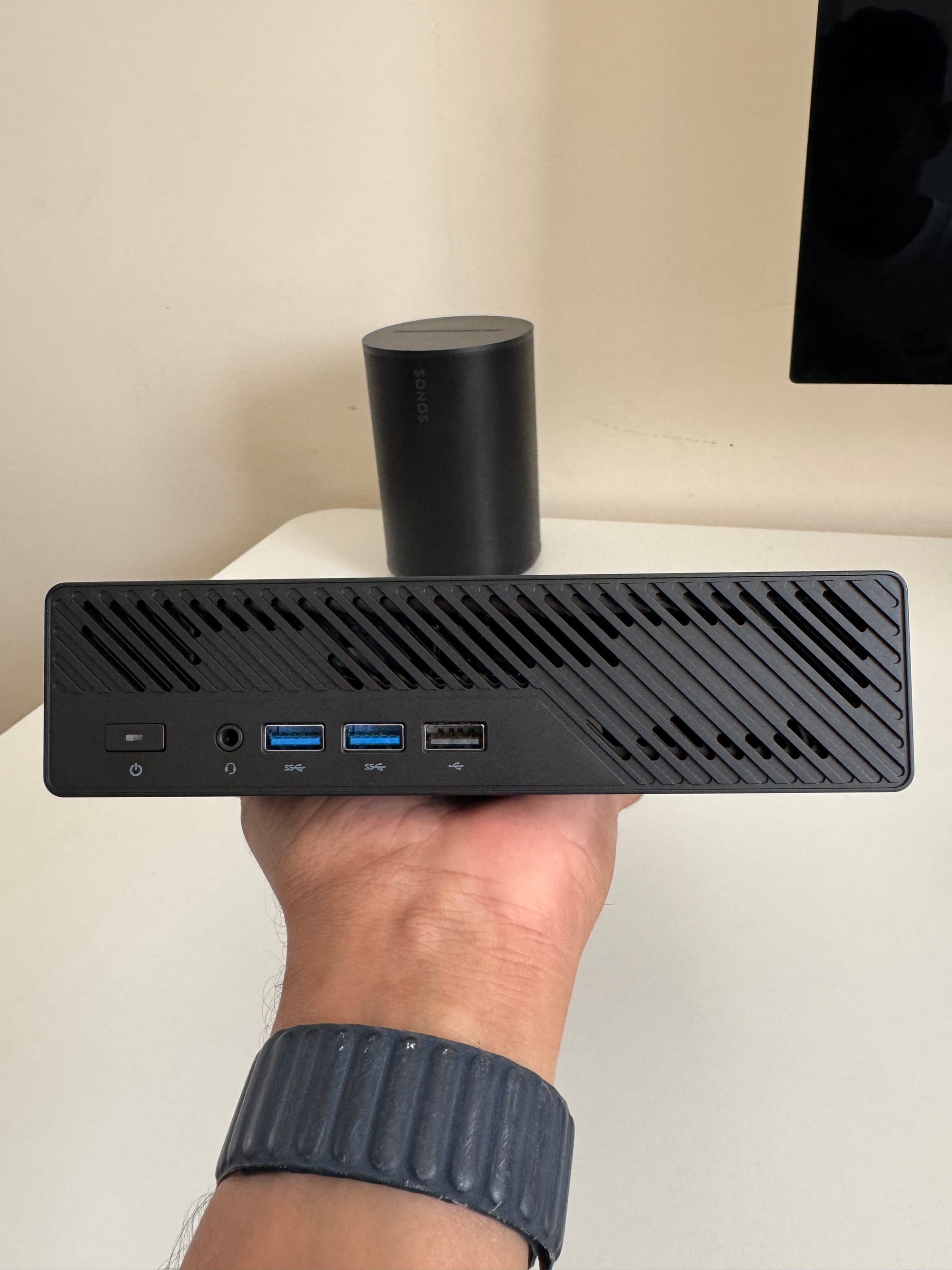
minisforum ms-a2 gallery
I want to be clear that I installed Ubuntu 22.04 as bare metal, not as a VM, and then used Netlab/Containerlab on top of it, as I mentioned before. So everything I test in this post is running through Netlab, which manages the topology creation and configuration for me, while Containerlab does the actual job of spinning up the containers and VMs. This setup gives me a solid bare metal base to properly test things like vJunos-switch that need it, while still keeping the deployment process quick and simple.
 Suresh Vinasiththamby
Running Cisco IOL (17.12.01) Labs
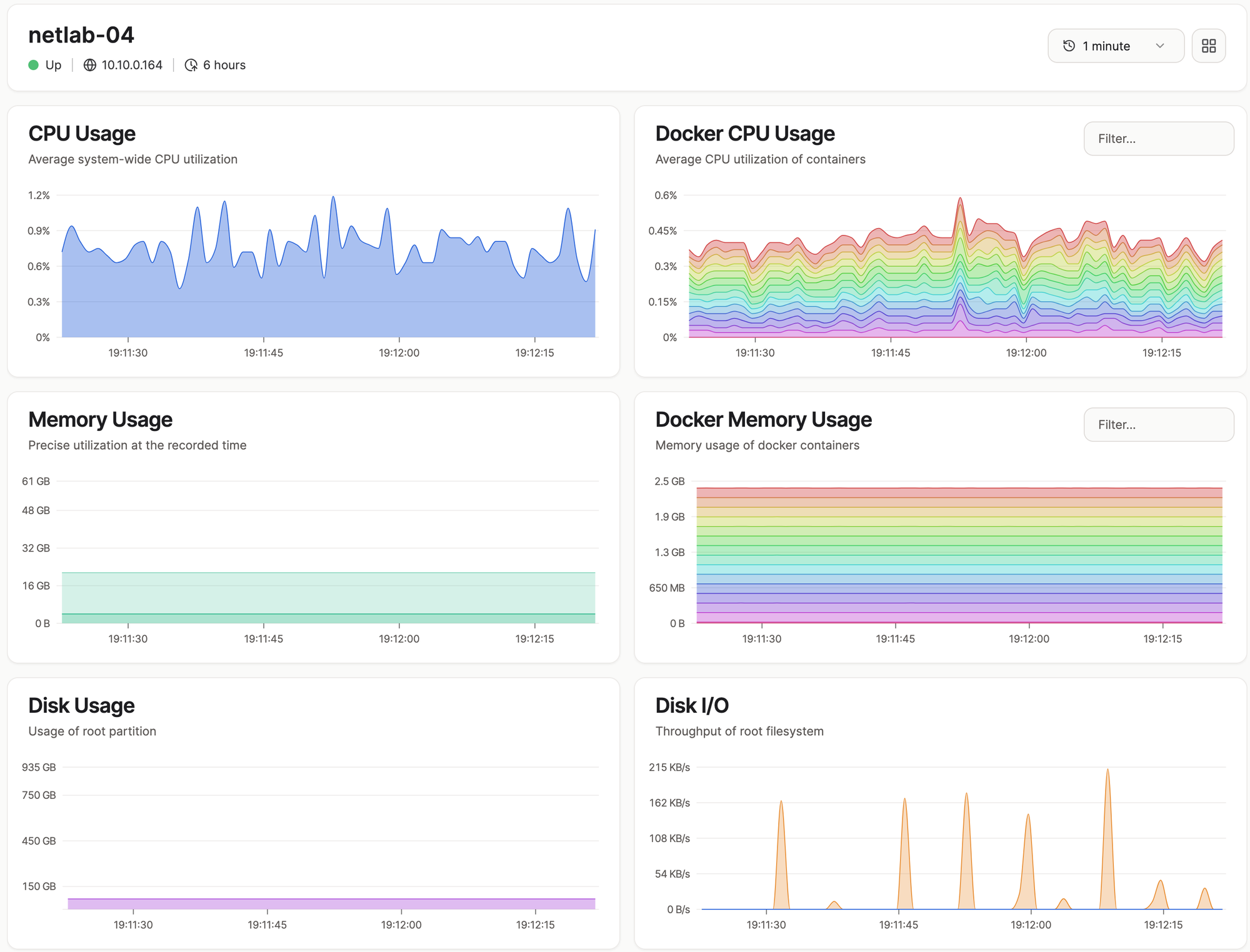
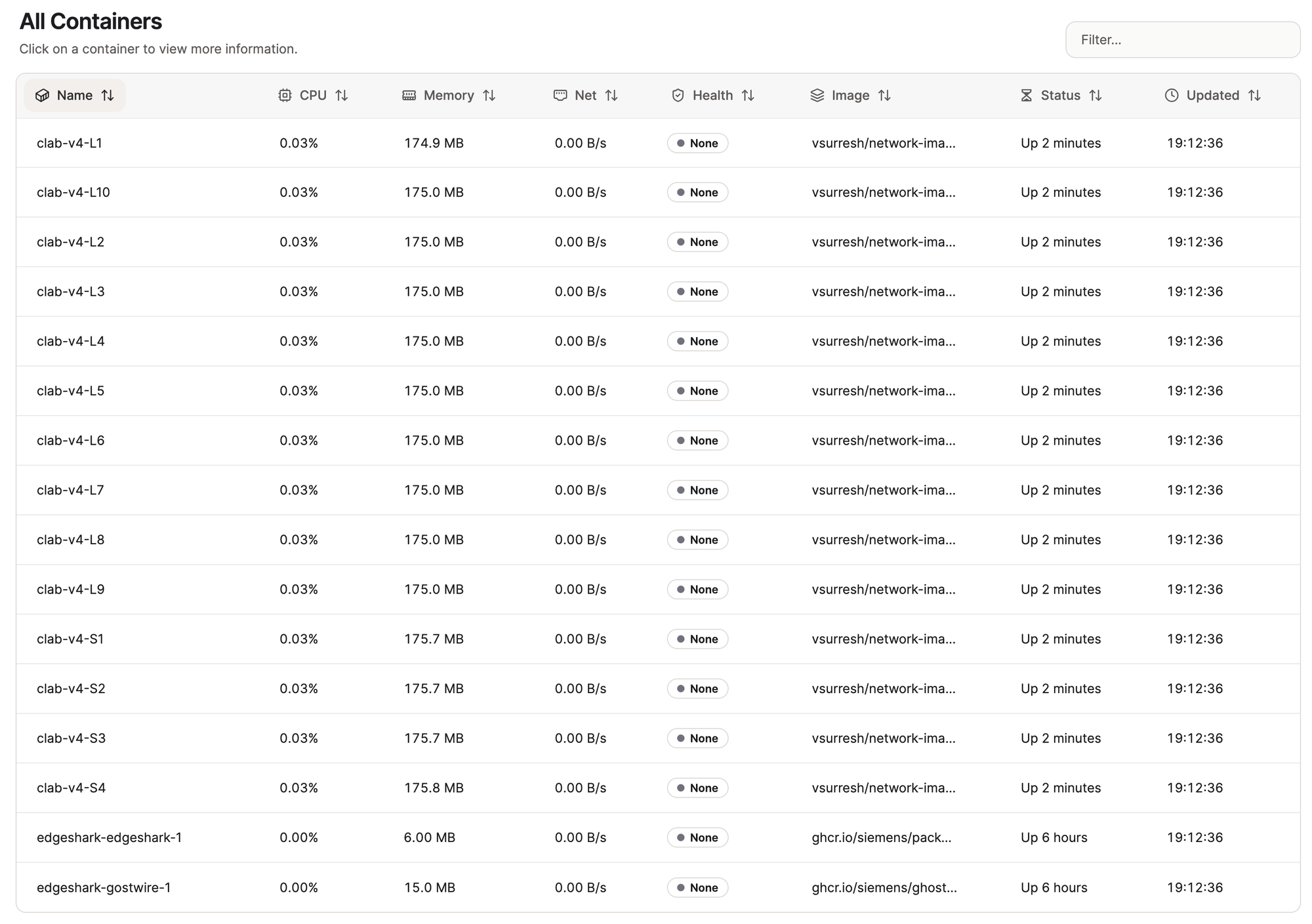
For this test, I used Cisco IOL images and ran 14 nodes in total, simulating a 4-spine and 10-leaf topology. As you can see from the CPU and memory graphs, usage was minimal across the board, barely touching 1% CPU and only a few GB of RAM. With resource usage this low, I could easily run several more topologies like this at the same time. The lab also got deployed in about 2 minutes.
Here's the OSPF neighbour output from S1, showing full adjacencies with all 10 leaf switches.
S1#show ip ospf neighbor

Neighbor ID     Pri   State           Dead Time   Address         Interface
10.0.0.10         0   FULL/  -        00:00:35    10.1.0.145      Ethernet2/2
10.0.0.9          0   FULL/  -        00:00:35    10.1.0.129      Ethernet2/1
10.0.0.8          0   FULL/  -        00:00:35    10.1.0.113      Ethernet2/0
10.0.0.7          0   FULL/  -        00:00:33    10.1.0.97       Ethernet1/3
10.0.0.6          0   FULL/  -        00:00:34    10.1.0.81       Ethernet1/2
10.0.0.5          0   FULL/  -        00:00:35    10.1.0.65       Ethernet1/1
10.0.0.4          0   FULL/  -        00:00:35    10.1.0.49       Ethernet1/0
10.0.0.3          0   FULL/  -        00:00:35    10.1.0.33       Ethernet0/3
10.0.0.2          0   FULL/  -        00:00:34    10.1.0.17       Ethernet0/2
10.0.0.1          0   FULL/  -        00:00:35    10.1.0.1        Ethernet0/1
Arista cEOS (4.34.2) Labs
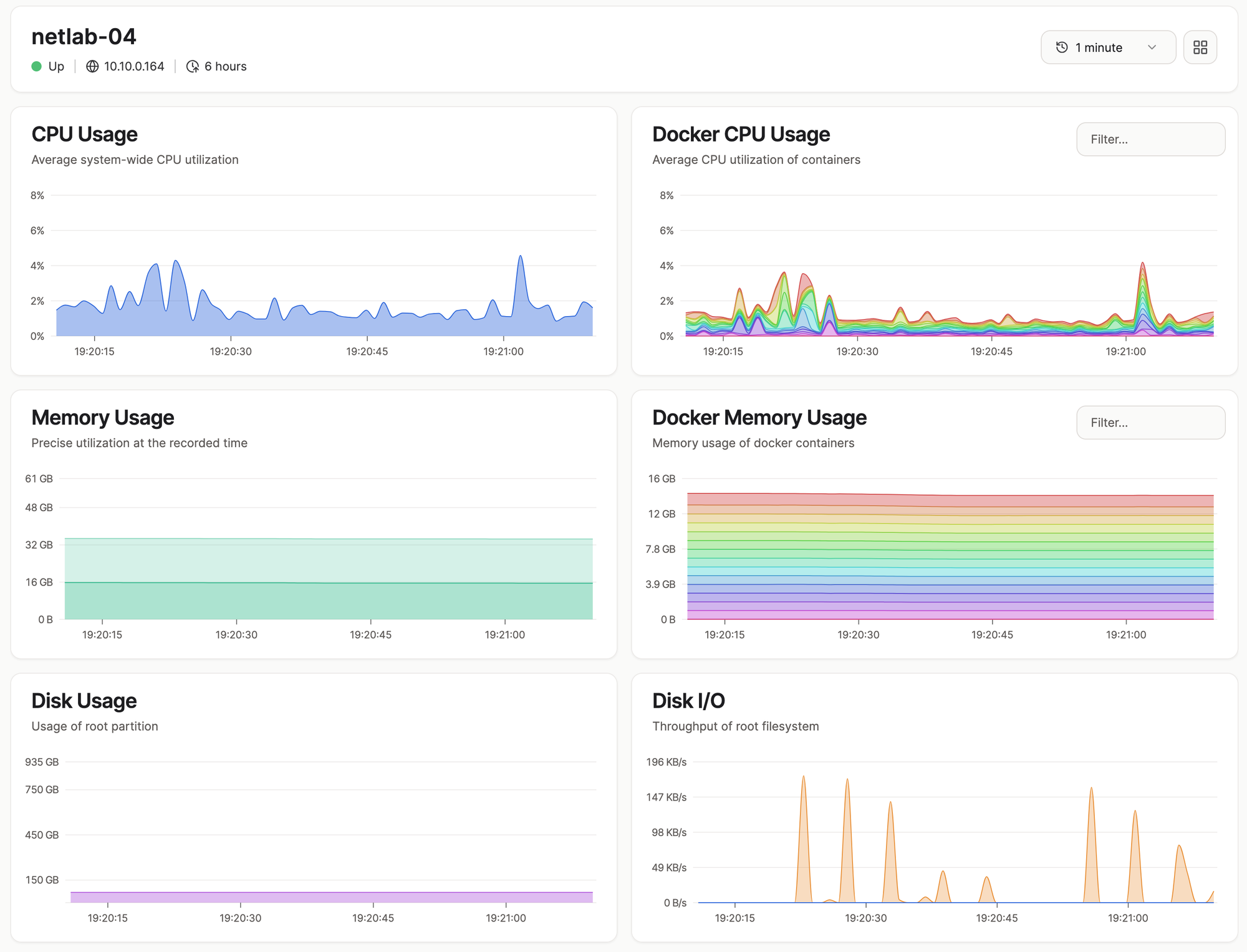
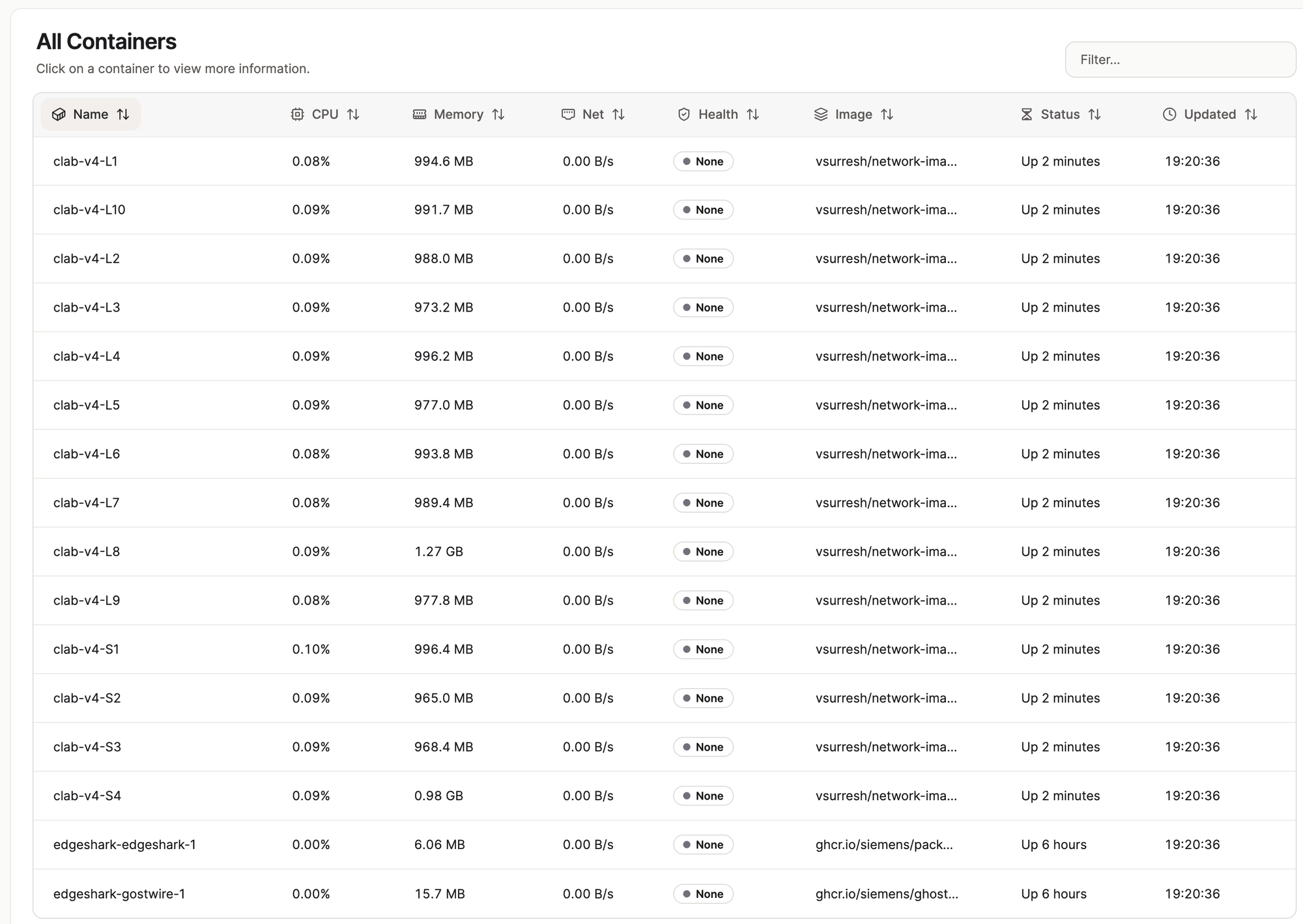
For this test, I used the same 14 node topology (4 spine, 10 leaf), but this time with Arista cEOS images. Memory usage is noticeably higher per node compared to Cisco IOL, sitting around 1GB per container, but CPU usage is still very low, peaking at around 4%. Even with cEOS being heavier on RAM, I could still run a lot more nodes on this setup without any trouble, assuming the switches and routers themselves can support that many interfaces.
S1#show ip ospf neighbor
Neighbor ID     Instance VRF      Pri State                  Dead Time   Address         Interface
10.0.0.7        1        default  0   FULL                   00:00:38    10.1.0.97       Ethernet7
10.0.0.8        1        default  0   FULL                   00:00:34    10.1.0.113      Ethernet8
10.0.0.2        1        default  0   FULL                   00:00:36    10.1.0.17       Ethernet2
10.0.0.9        1        default  0   FULL                   00:00:34    10.1.0.129      Ethernet9
10.0.0.4        1        default  0   FULL                   00:00:32    10.1.0.49       Ethernet4
10.0.0.1        1        default  0   FULL                   00:00:29    10.1.0.1        Ethernet1
10.0.0.3        1        default  0   FULL                   00:00:33    10.1.0.33       Ethernet3
10.0.0.5        1        default  0   FULL                   00:00:33    10.1.0.65       Ethernet5
10.0.0.6        1        default  0   FULL                   00:00:33    10.1.0.81       Ethernet6
10.0.0.10       1        default  0   FULL                   00:00:31    10.1.0.145      Ethernet10
vJunos-Switch (25.2R1.9) Labs
For the vJunos-switch labs, I ran a smaller topology of 2 spine and 4 leaf, and the resource usage here speaks for itself. CPU sits at a steady 55-60%, and memory usage jumps to around 24-26GB for just 6 nodes, roughly 4GB per node. I could probably squeeze in a few more nodes if needed, but it's clear these images are on a completely different level compared to Cisco IOL or Arista cEOS.
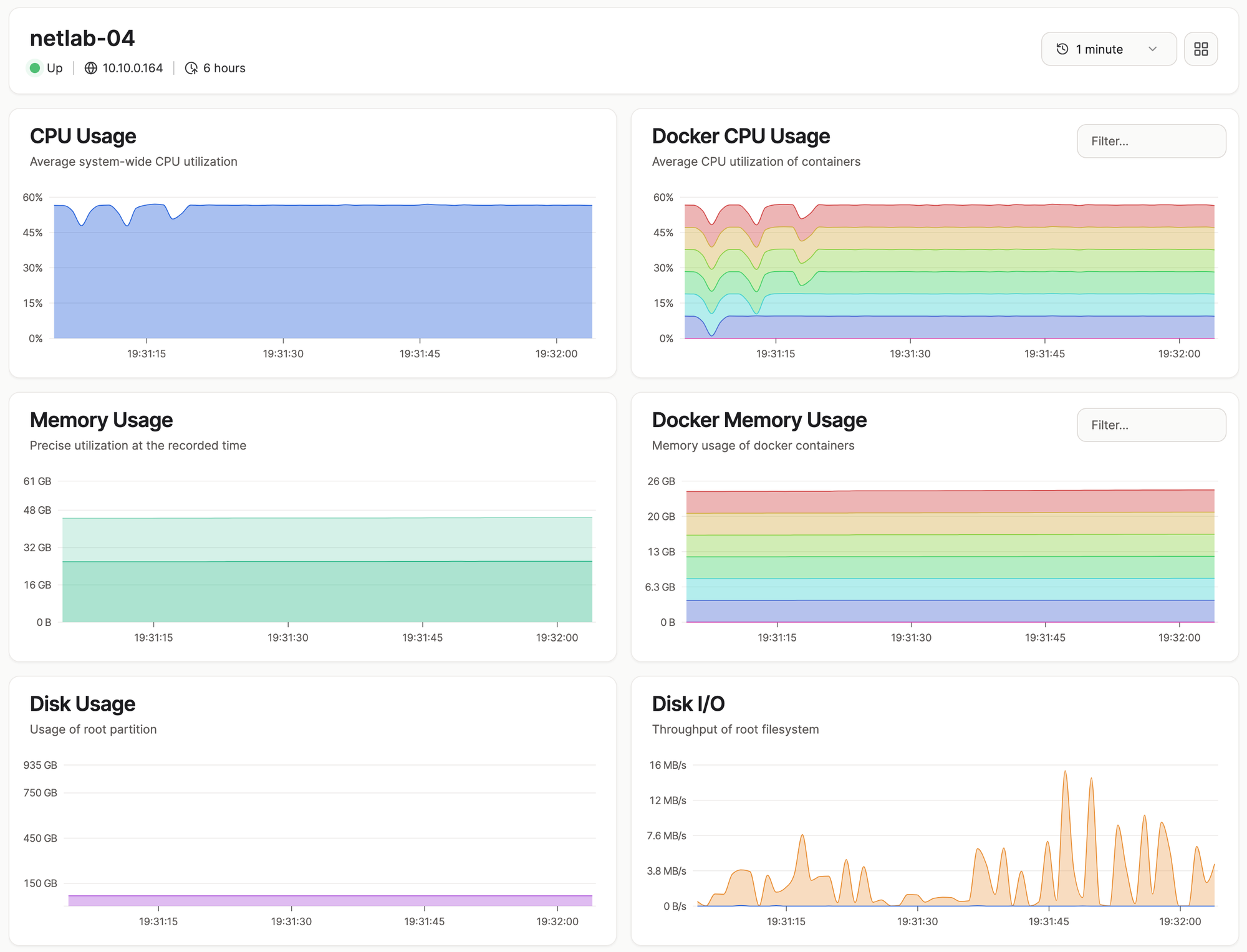
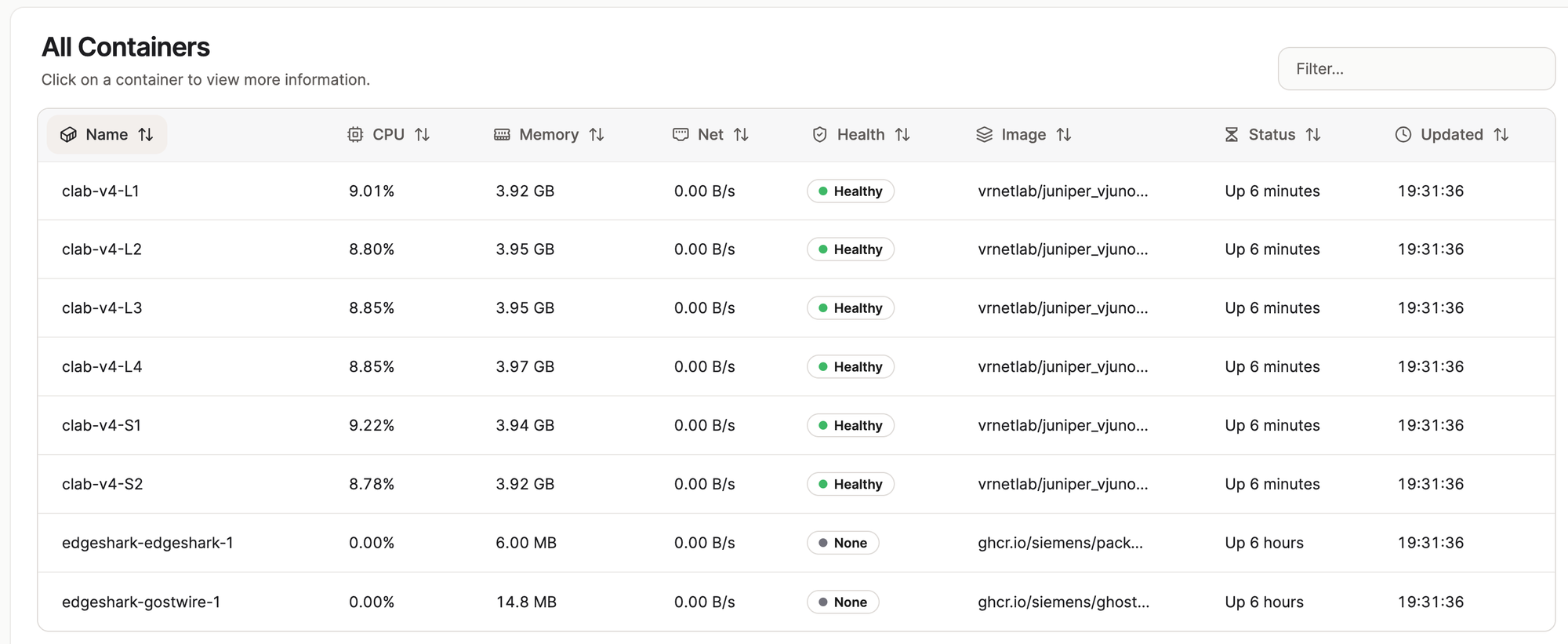
They're also slow to boot. It takes about 6-8 minutes for the nodes to fully come up and for the data plane interfaces to actually show up and start passing traffic. So definitely not as light or as fast as Cisco or Arista, but once they're up, they work really well and behave like proper Junos devices.
To put this in perspective, when I tried running vJunos-switch on a VM (Intel i9 10900K CPU) before buying the MS-A2, I could barely run 2 nodes even with 10 CPU cores and 32GB of RAM allocated to that VM alone.
This also tells you something important about RAM. If you're planning to buy the MS-A2, or any system, for running Junos labs, 32GB is not going to be enough. You'll likely end up seeing some swap usage the moment you try running a few vJunos-switch nodes alongside anything else. If Junos labs are your main use case, I'd recommend going for 64GB at minimum, and if you have the spare budget, even 96GB, since that's the max the MS-A2 supports.
admin@S1> show ospf neighbor
Address          Interface              State           ID               Pri  Dead
10.1.0.1         ge-0/0/0.0             Full            10.0.0.1         128    34
10.1.0.9         ge-0/0/1.0             Full            10.0.0.2         128    31
10.1.0.17        ge-0/0/2.0             Full            10.0.0.3         128    34
10.1.0.25        ge-0/0/3.0             Full            10.0.0.4         128    34
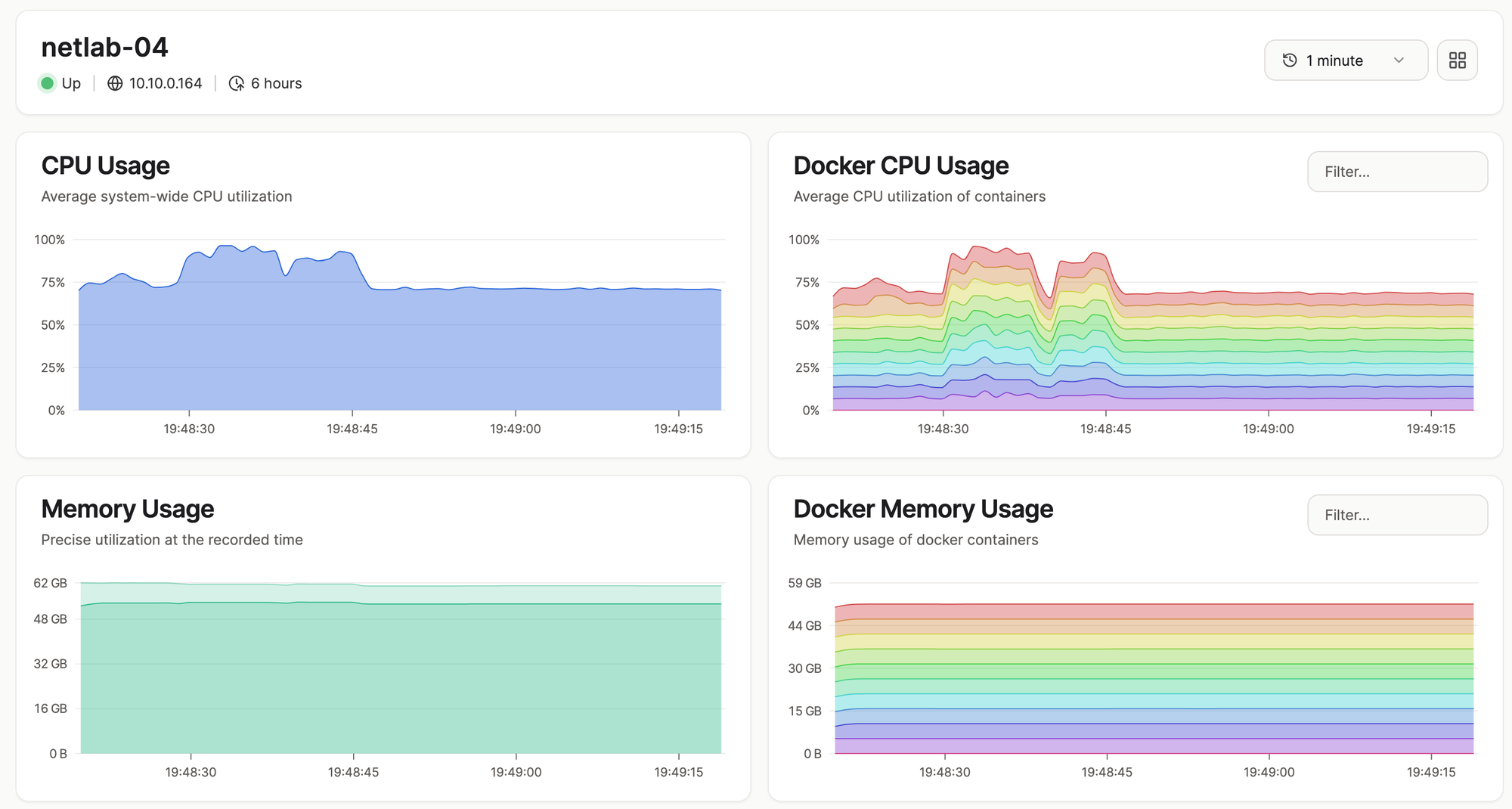
Here's a screen capture of htop when I pushed it further and tried running 10 vJunos-switch nodes at once. As you can see, almost every CPU core is pegged near 100%, and memory usage sits at 50GB out of 60.5GB available on this VM.
vjunos-switch usage htop
admin@S1> show ospf neighbor
Address          Interface              State           ID               Pri  Dead
10.1.0.1         ge-0/0/0.0             Full            10.0.0.1         128    30
10.1.0.17        ge-0/0/1.0             Full            10.0.0.2         128    38
10.1.0.33        ge-0/0/2.0             Full            10.0.0.3         128    31
10.1.0.49        ge-0/0/3.0             Full            10.0.0.4         128    35
10.1.0.65        ge-0/0/4.0             Full            10.0.0.5         128    30
10.1.0.81        ge-0/0/5.0             Full            10.0.0.6         128    31
Swap usage is still at 0, so it held up, but the CPU was clearly under a lot of pressure at this point, though they all come up online and work fine. I don't think I can add nodes anymore.

vJunos-Router (24.2R1-S2.5) Labs
For vJunos-router, I ran a similar topology with 6 nodes, and the resource usage is noticeably different compared to vJunos-switch. Memory sits around 5GB per node, so about 31GB total, which is actually higher than the switch variant. CPU usage, on the other hand, is much lower, sitting around 6-7% per node and roughly 40% system-wide.
The big difference is boot time. Unlike vJunos-switch, which takes 6-8 minutes to fully come up, vJunos-router boots in under 2 minutes, interfaces and all. So while it's still heavier on RAM than Cisco IOL or Arista cEOS, it's far less painful to work with day-to-day simply because you're not sitting around waiting for it to boot every time you spin up a lab.
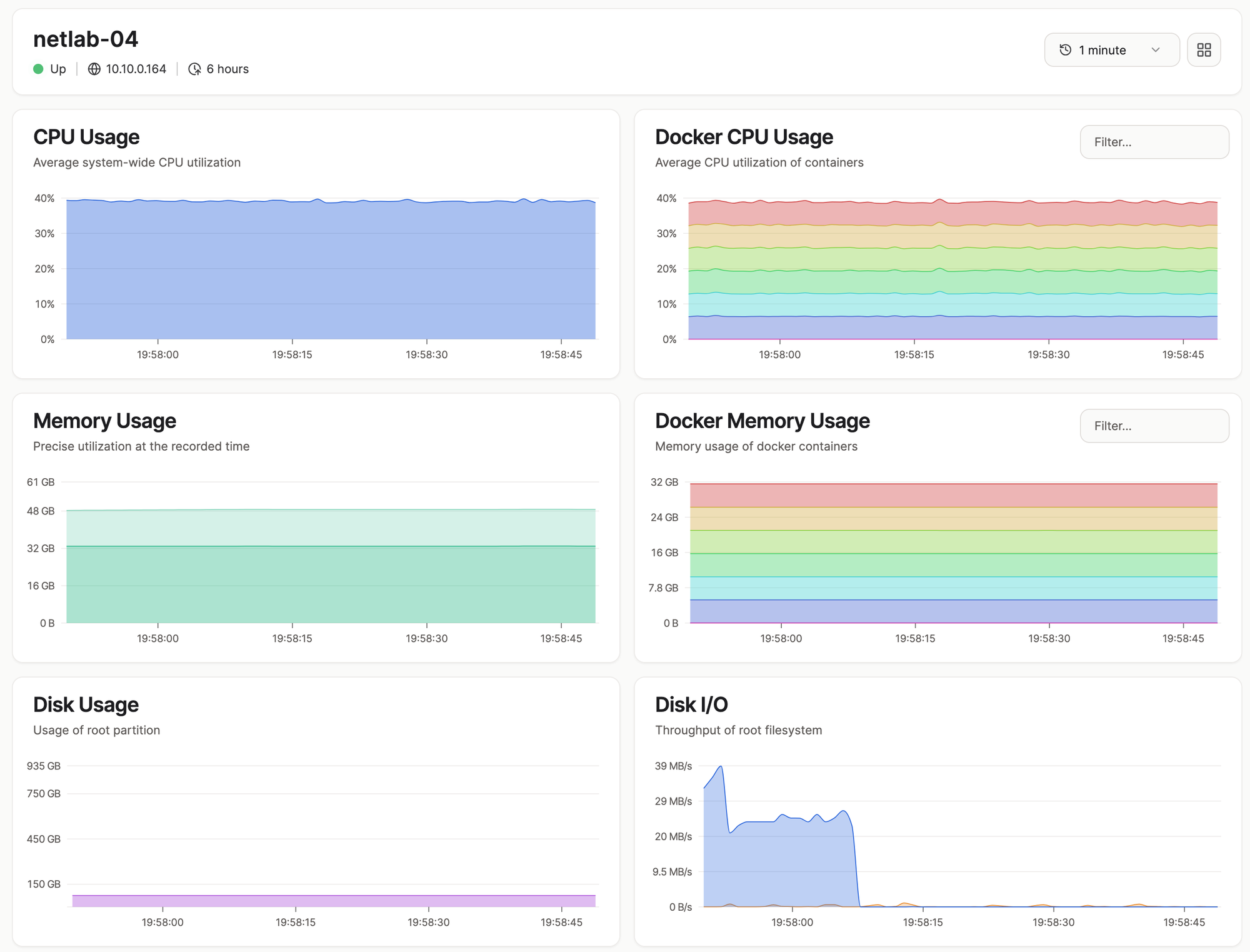
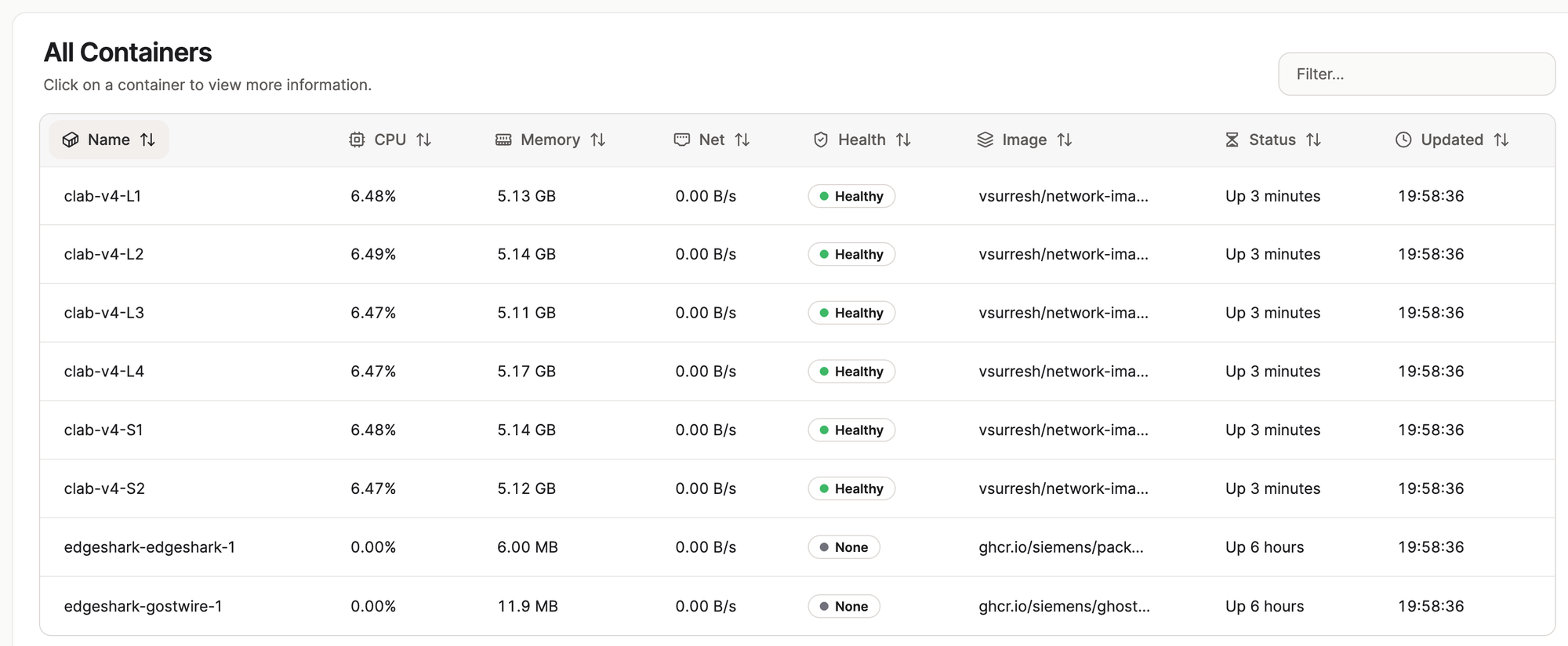
I also pushed it further and tested a 10-node lab. CPU usage sat around 65%, which is noticeably lighter than what I saw with vJunos-switch running the same node count.
Palo Alto and Others
I also tested a single Palo Alto firewall on Containerlab, and it worked without any issues. It took about 6-8 minutes to fully boot, which is reasonable for a Palo Alto image. I didn't get around to testing anything else, but based on how well everything else has performed so far, I'm confident this should handle any x86-compatible image you throw at it.
Verdict
So, is the Minisforum MS-A2 worth it for network labs? For me, yes, but only because I had a specific need for bare metal to run vJunos-switch. If you're just running Cisco IOL, Arista cEOS, or similar lightweight images, your existing mini PC is probably more than enough, and I'd say save your money.
The 16-core Ryzen 9 9955HX has been solid, and the option to go up to 96GB of RAM means you're not going to hit a ceiling anytime soon. Just remember, if Junos labs are on the cards, don't go with 32GB, go for 64GB.
Beyond the performance, the small footprint, low noise, and low power draw make this an easy recommendation for a serious home lab without wanting an actual server in the house. This is my first Minisforum mini PC, so I'll need to run it long term to see how reliable it is. My current PC is about 6 years old with zero issues so far, so I'm hoping for the same from Minisforum.